Use a Tag Template in Canva to Create a Final Etsy-Ready Product
Selling printable tags on Etsy is one of the easiest ways to start a digital shop. You design your tags once, lay them out on a single sheet, and your customer can print and cut as many as they want. Here’s the quick version of how to turn your tag designs into a polished, ready-to-upload digital product.
Download Your Individual Tag Design
- Export your finished tags from Canva as PNG files.
- Skip any cover pages or extra pages — just export the tags themselves.
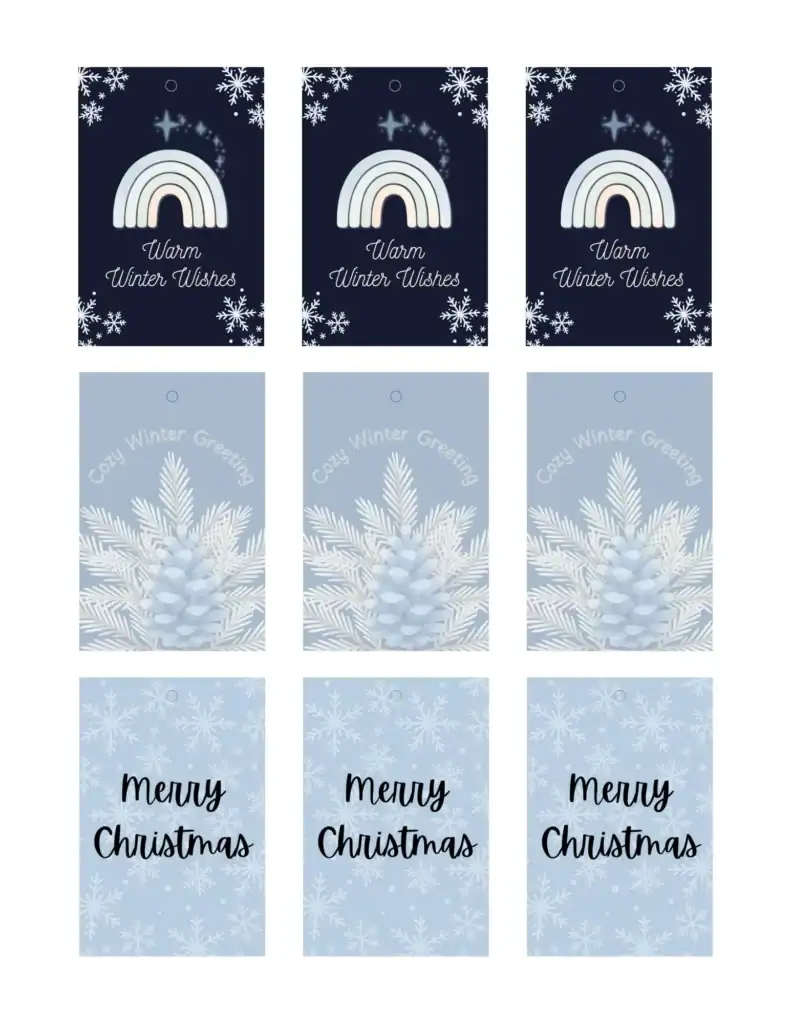
Drop Your Tags Into a Template Sheet
Open your Canva tag sheet (the 9-tag layout).
- Upload your PNG files
- Drag each design into a frame
- Repeat so each tag appears the same number of times
This gives you a clean, repeatable product layout.
Decide Whether to Include Hole Circles
Most sellers offer two versions:
- With hole circles – for customers who want a punch guide
- Without circles – cleaner, more flexible design
Just duplicate your sheet and delete the circles on one version.
Export a Flattened PDF (Super Important)
This is the file you will upload to Etsy.
Download → PDF Print → Current Page → Flatten PDF
Flattening protects your clipart so no one can extract the images from your file.
Upload Both PDFs to Your Etsy Listing
Your customer receives:
- A sheet with hole guides
- A sheet without hole guides
They print, cut, punch, and they’re good to go.
Key Takeaway: Progress Beats Perfection
Your tags don’t need to look “perfect” to start selling. You can always update the file later. What matters is getting the product listed so your shop can grow.
Want Help Turning Clipart Into Products?
If you want more support creating printable products like this:
- Clipart to Cash Membership – monthly clipart + training + easy wins
- Mini Store Starter Kit – templates + bite-sized steps
- Free niche guide + 10 clipart pieces + custom GPT – perfect if you want help picking what to design next
You can also join the Mrs. Blanks Facebook group to get feedback and ask questions.